
Aanisha | Designs
Hubspot
September 2025
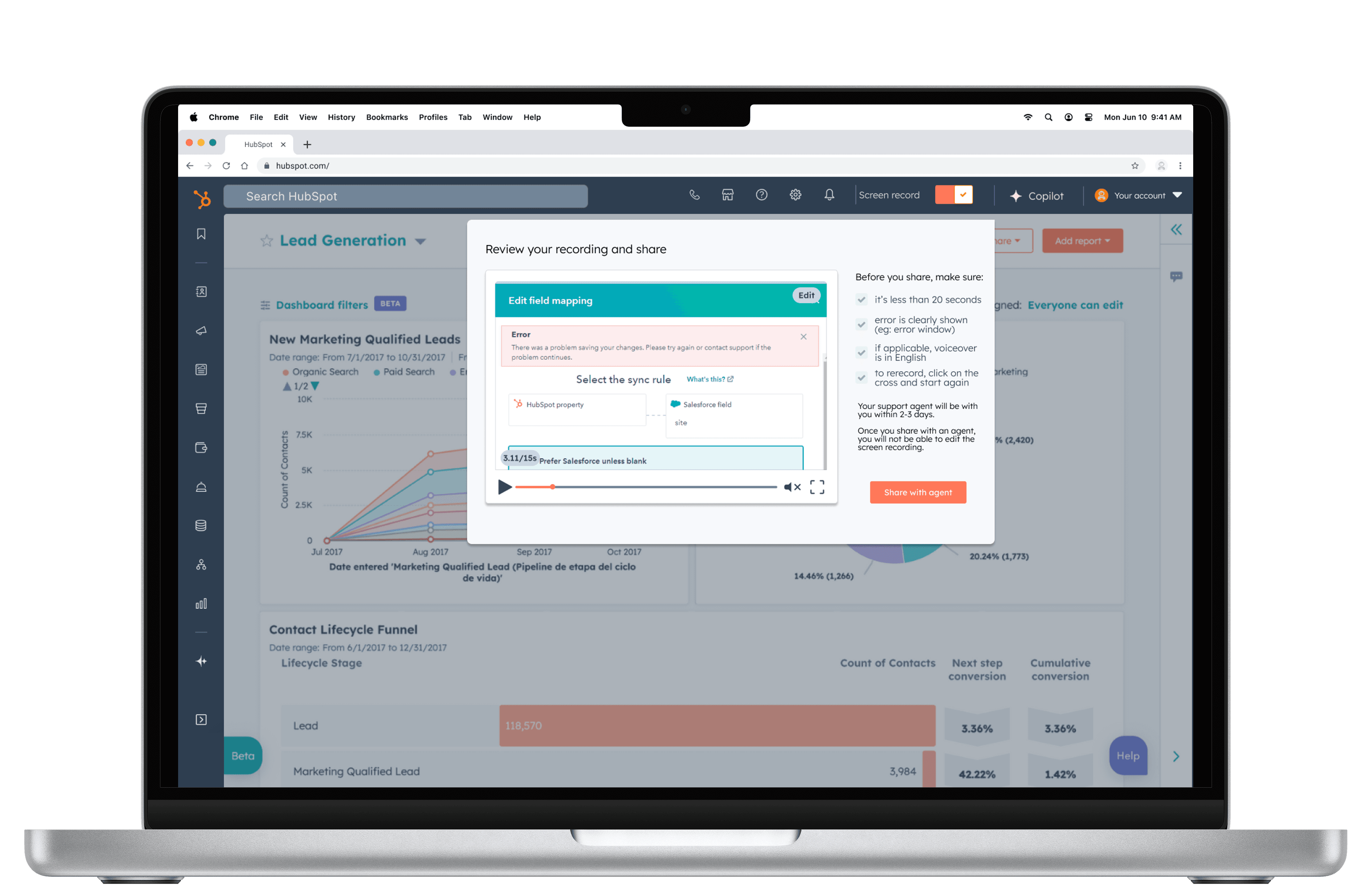
A support mode to help users share their issues with a support agent
Background
Back when I was working as a communications specialist, I spent a lot of time stuck using a software and found tailored technical feedback was hard to come by. This was something I personally struggled with — getting the specific answers I needed was often frustrating, and it made supporting other teams tricky.
That experience made me realise a bigger issue: without the ability to get targeted solutions within a set SLA, businesses risk missed deadlines and ongoing frustrations. I wanted to explore ways to help other users like me get the kind of guidance that actually makes a difference.
My role
Researcher
UX Designer
Project Goal
To help users achieve a smoother support experience by adding the ability to share the user's technical struggle and submit to a support agent in a way that felt intuitive and reduced friction.
Research
When I first started, I had this idea of what users needed — I assumed they wanted ways to customise their journeys and track performance in a clear, measurable way to show the business. But as I spoke to people in interviews and dug into other research, I realised I’d been off the mark. What users were really looking for was a better support tool — something that actually helped them get answers and guidance when they needed it. That shift in understanding completely changed how I approached the problem.
Support and Technical Frustrations | Recurring theme from user interviews
Wanting a chatbot for prompt solutions
Customer service team not addressing their pain-points
Frustrations with always needing plug-ins
Technical issues are not addressed and too much time is spent explaining context than getting the help they need
Development team are condescending, often sharing generic support than specific guidance
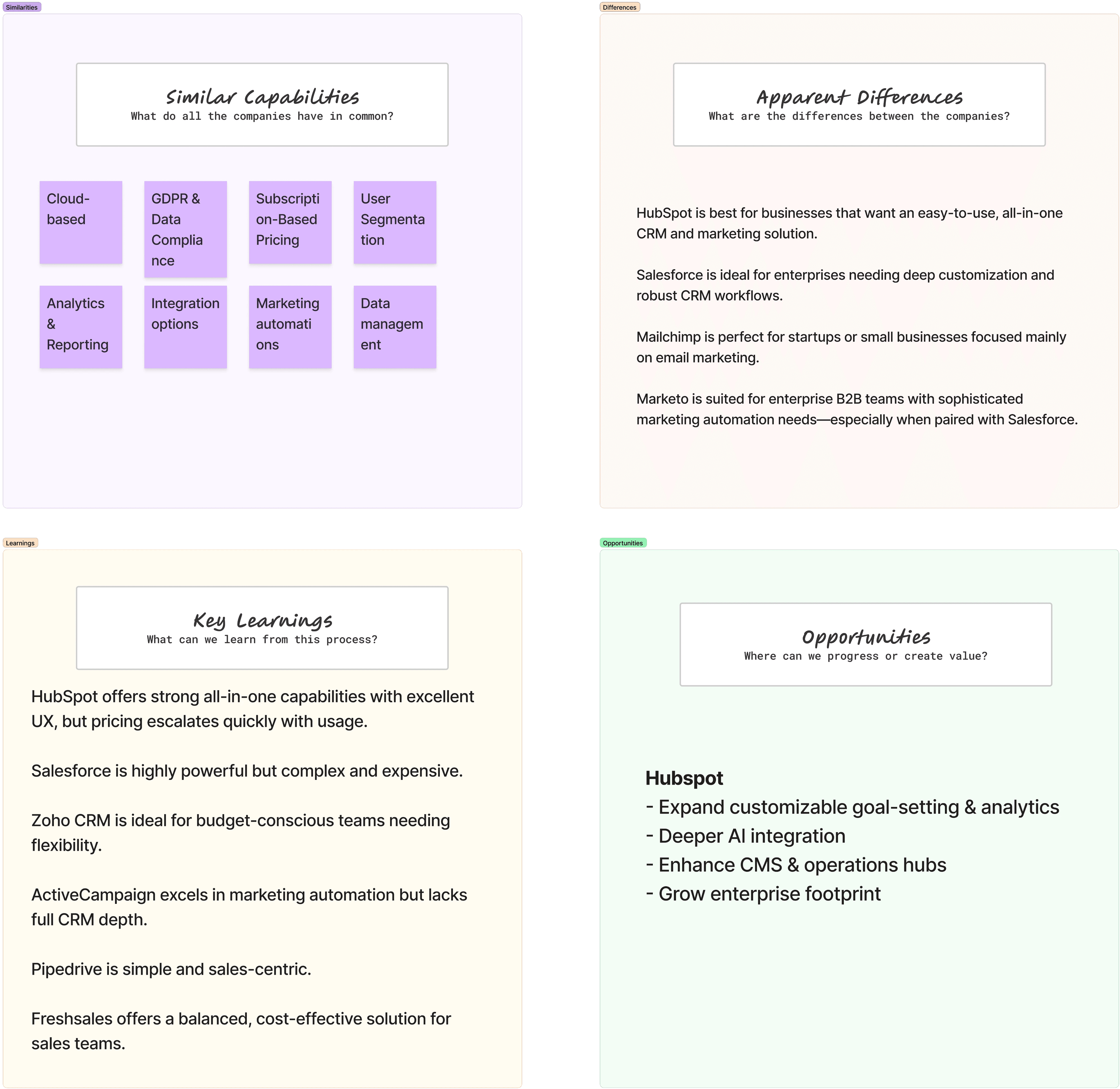
Competitor analysis summary
Key insights
From my conversations with users, a few things really stood out to me. Most people wanted a target-setting feature and some kind of tailored customer support, especially since many are juggling multiple software tools and integrations.
A recurring theme was the need for support within a specific timeframe, and for solutions that actually feel personalised. I also heard a lot of frustration around not being understood and not being able to easily show where issues were coming from.
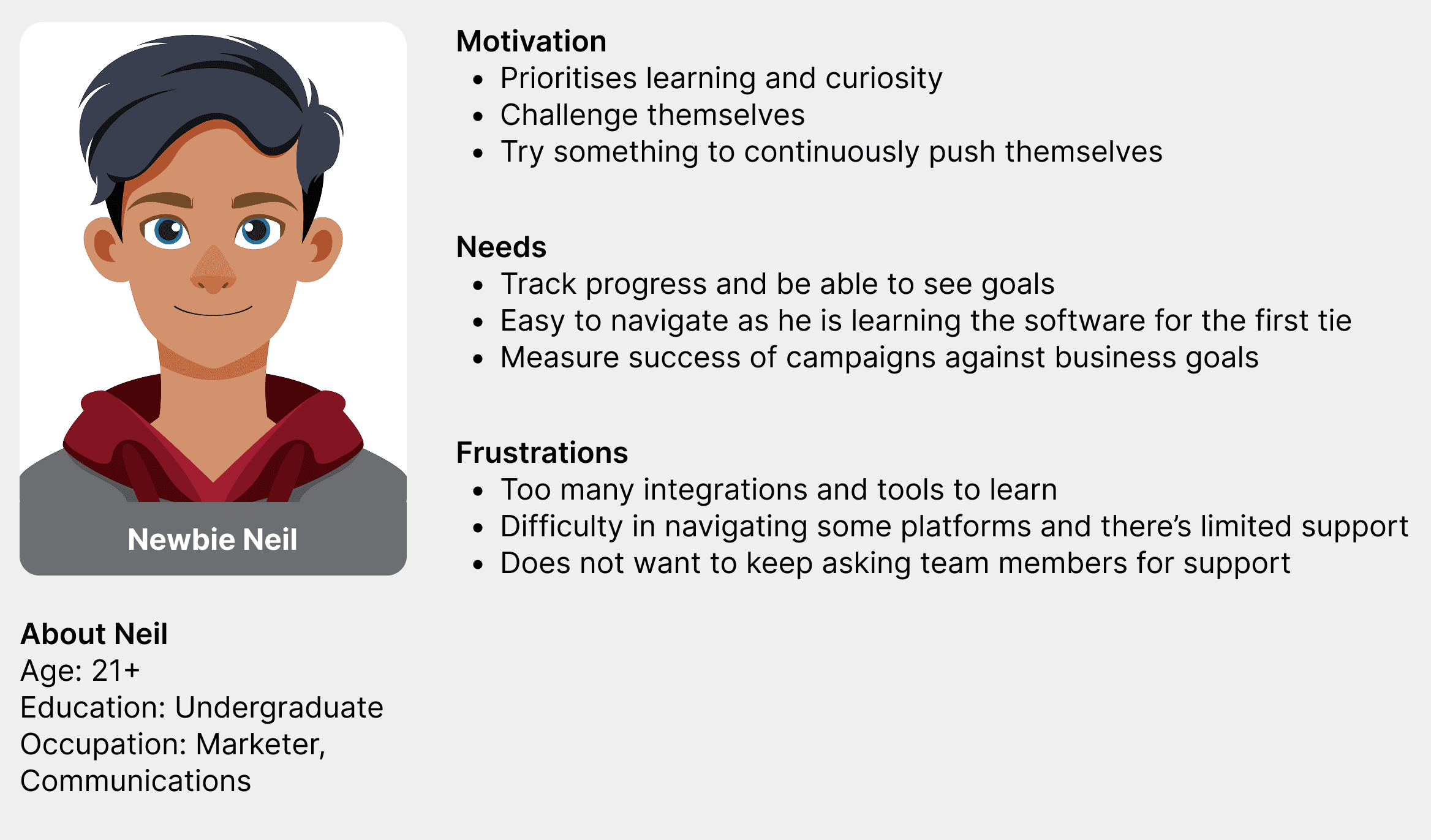
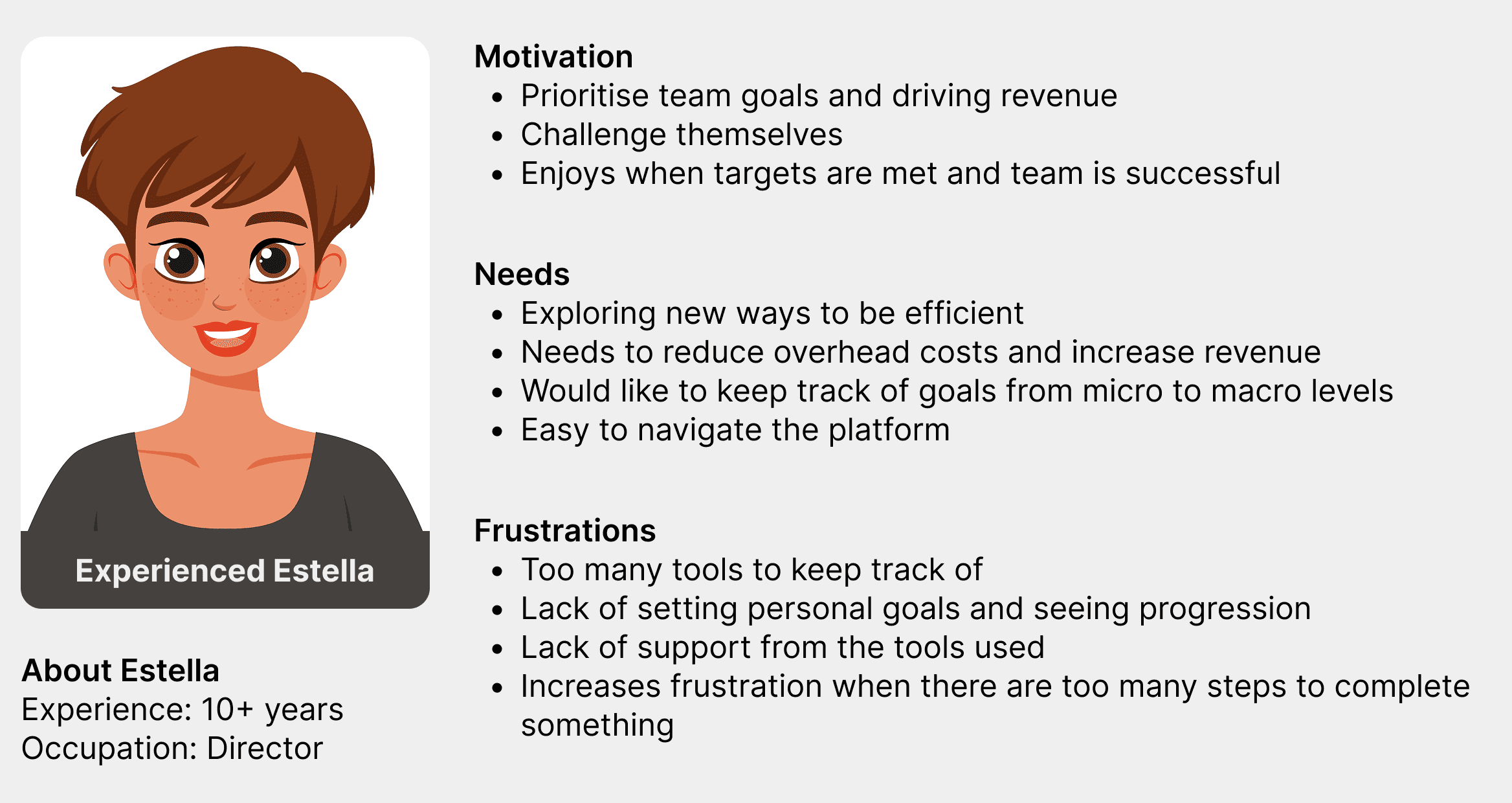
Personas
Recurring theme of challenges navigating the system, difficultly in keeping track of issues, lack of support with the software.
Flow Chart
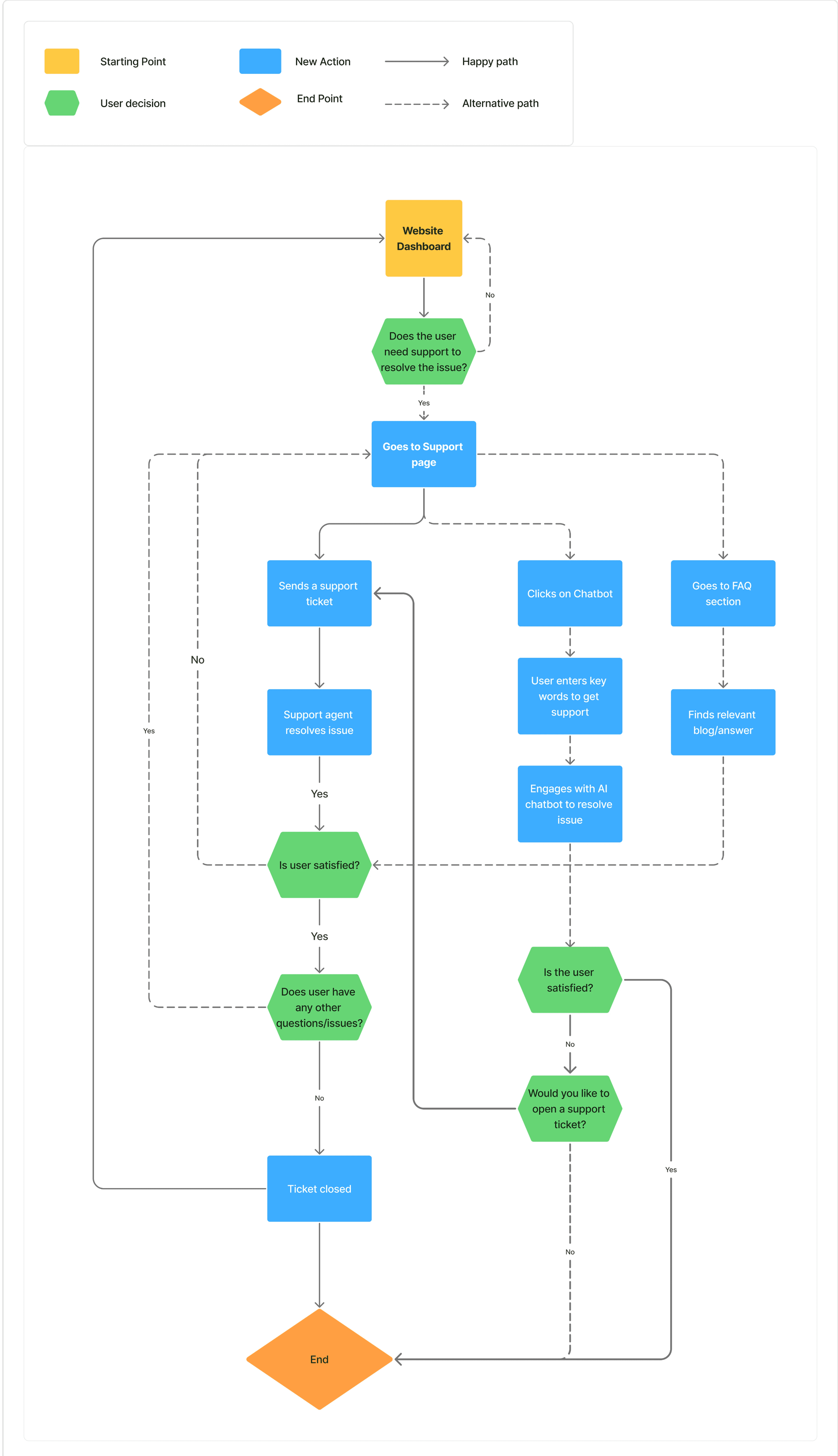
I narrowed the support channels into 3 available options:
Sending support ticket | takes over 5 working days
Chatbot/AI-led support | immediate, but generic solutions
FAQ section | immediate but difficult to find specific solutions
Given that a support ticket took most time but would offer the most tailored solution, I wanted to explore ways to improve this journey.
The Design Process
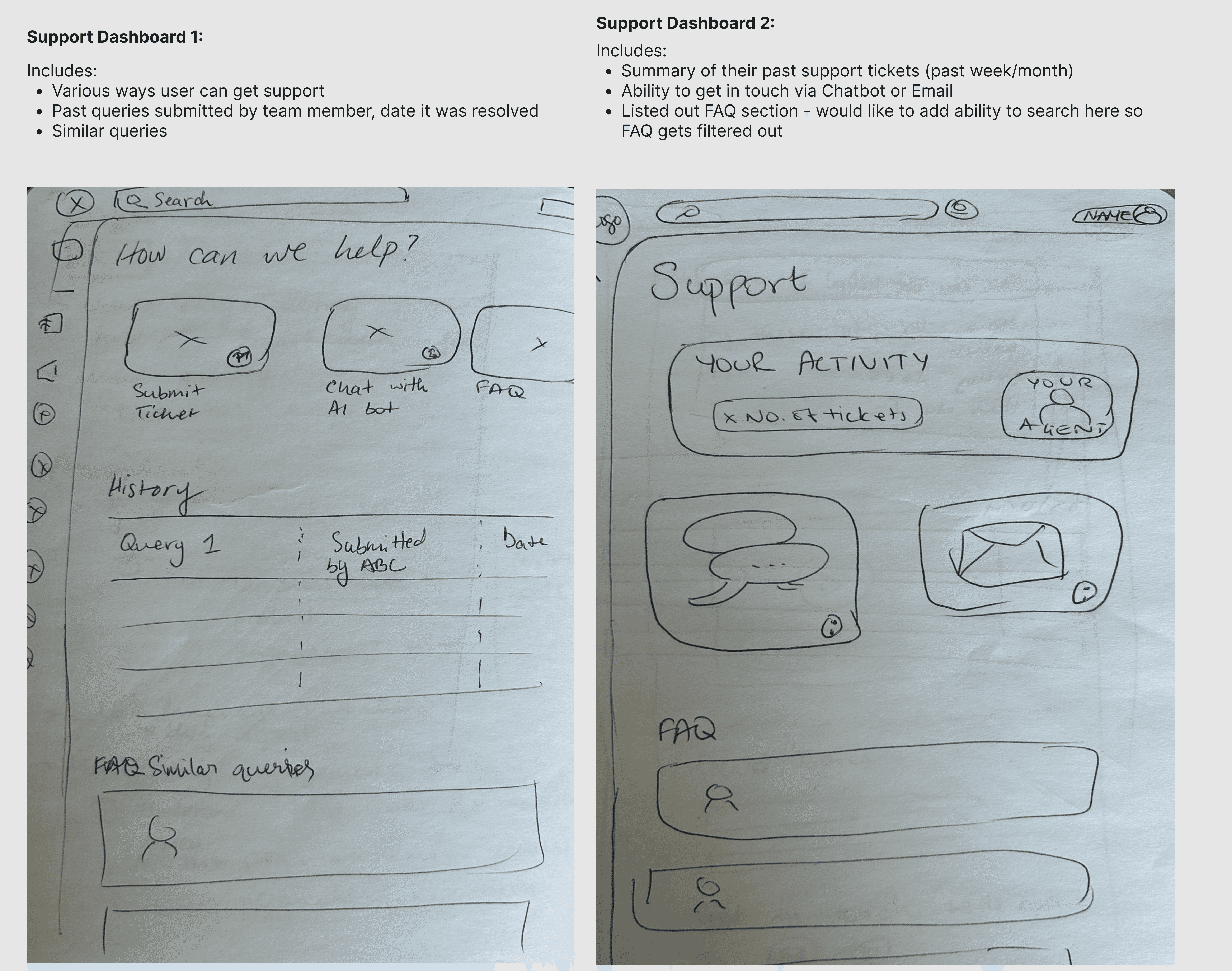
I wanted to design a holistic support dashboard which included
Past queries and FAQ section
Ability to search FAQ and other support tickets
Support search with videos and related topics
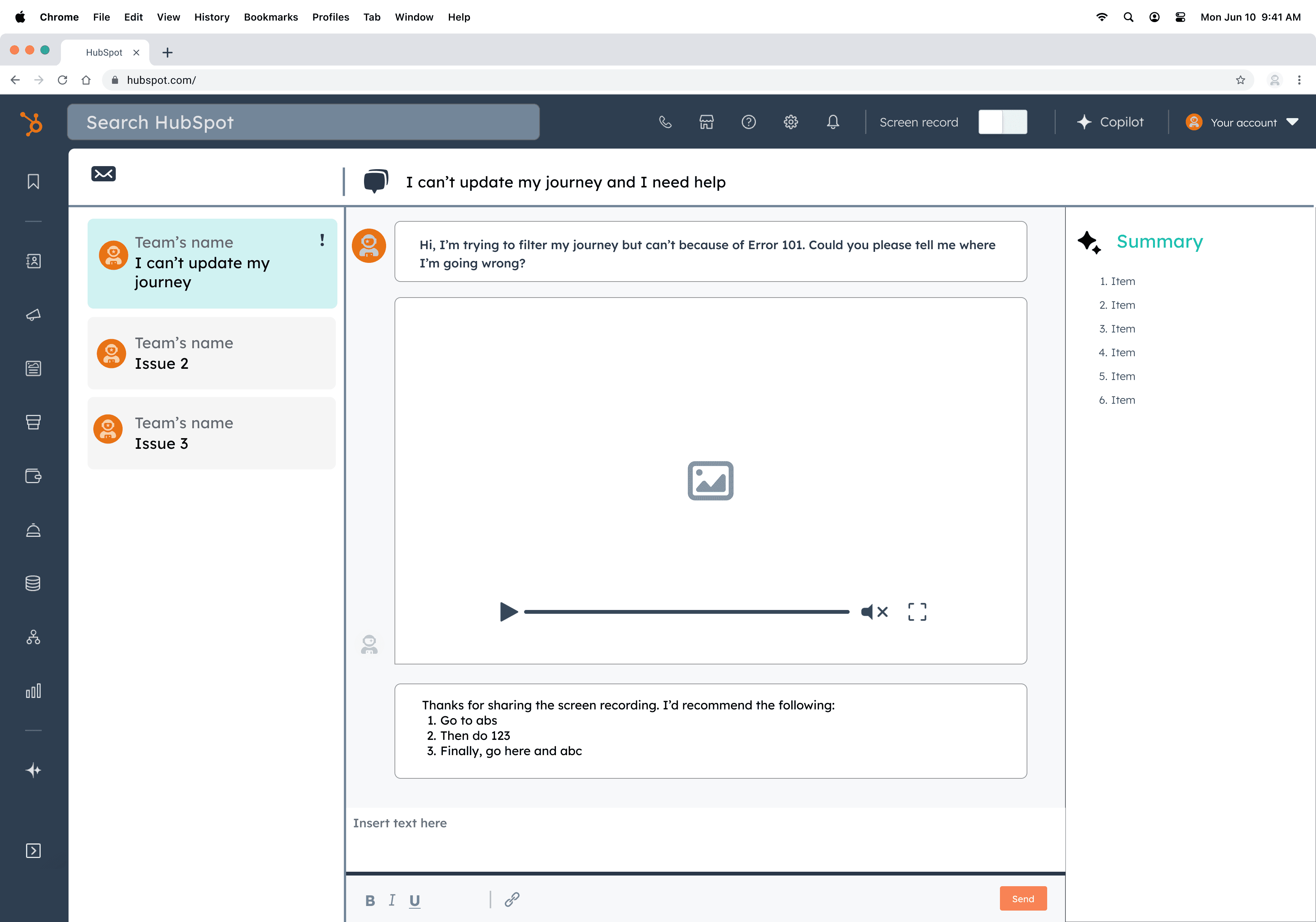
Support ticket with a summary of the progress and details from the chat
Key insights
Through further research and exploration, I found that while the initial concepts could have been effective, a key issue was that the support agent did not have the full context in which they were trying to resolve a technical issue, resulting in offering generic feedback. Additionally, an area I had not previously considered was language barriers and expression. Often times, the teams experiencing the issues and/or the support agent were from different countries which frequently led to misunderstandings, causing further delays in output for the user.
Mid to High-Fidelity
Design update and shift in approach
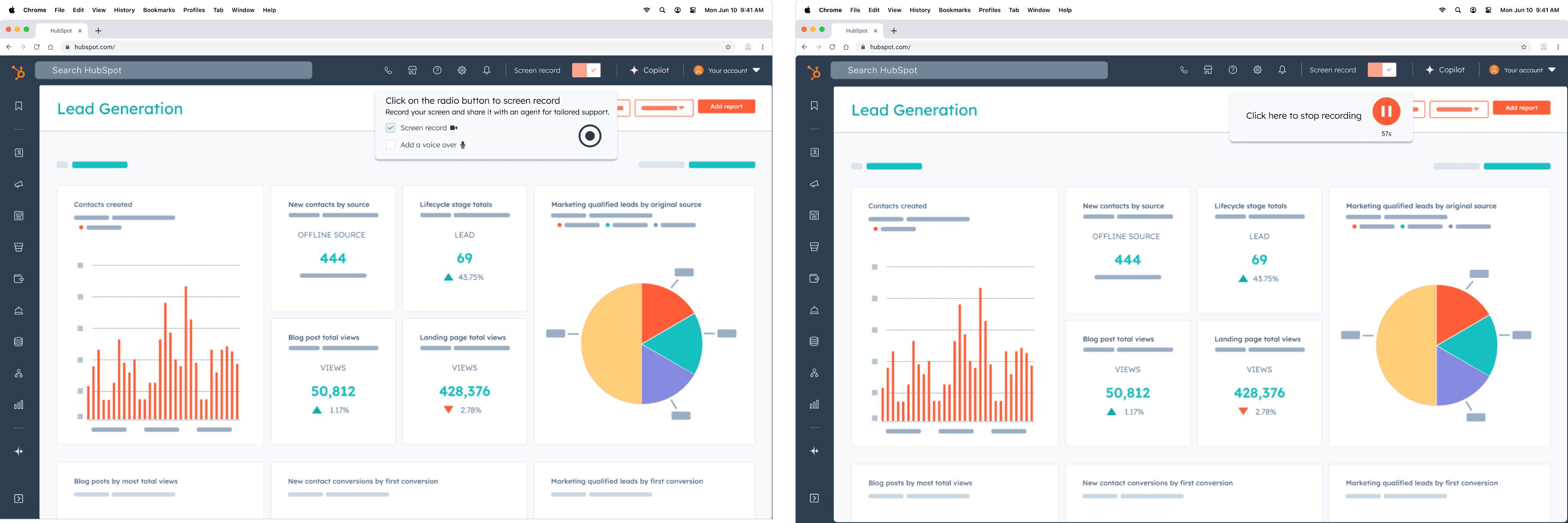
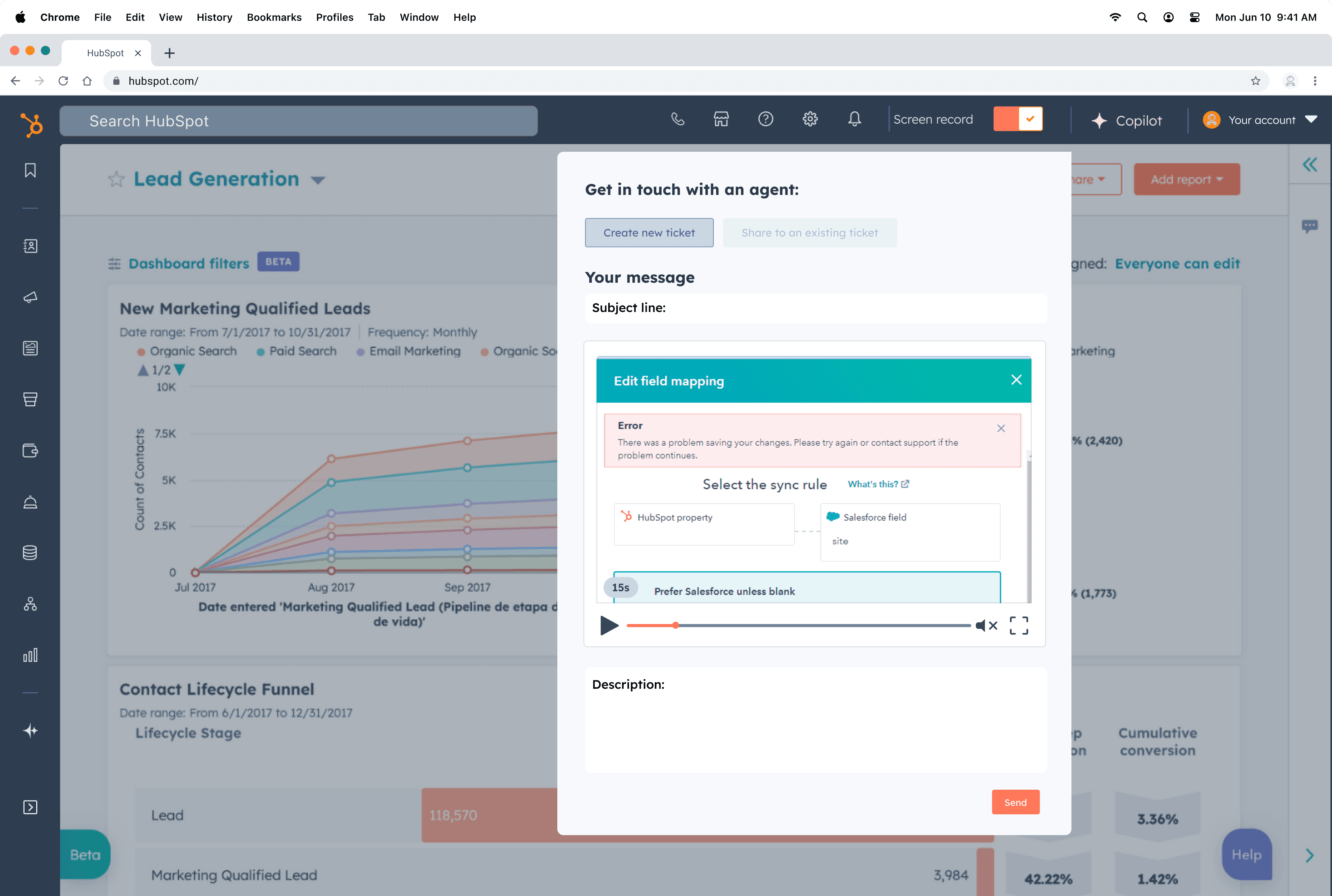
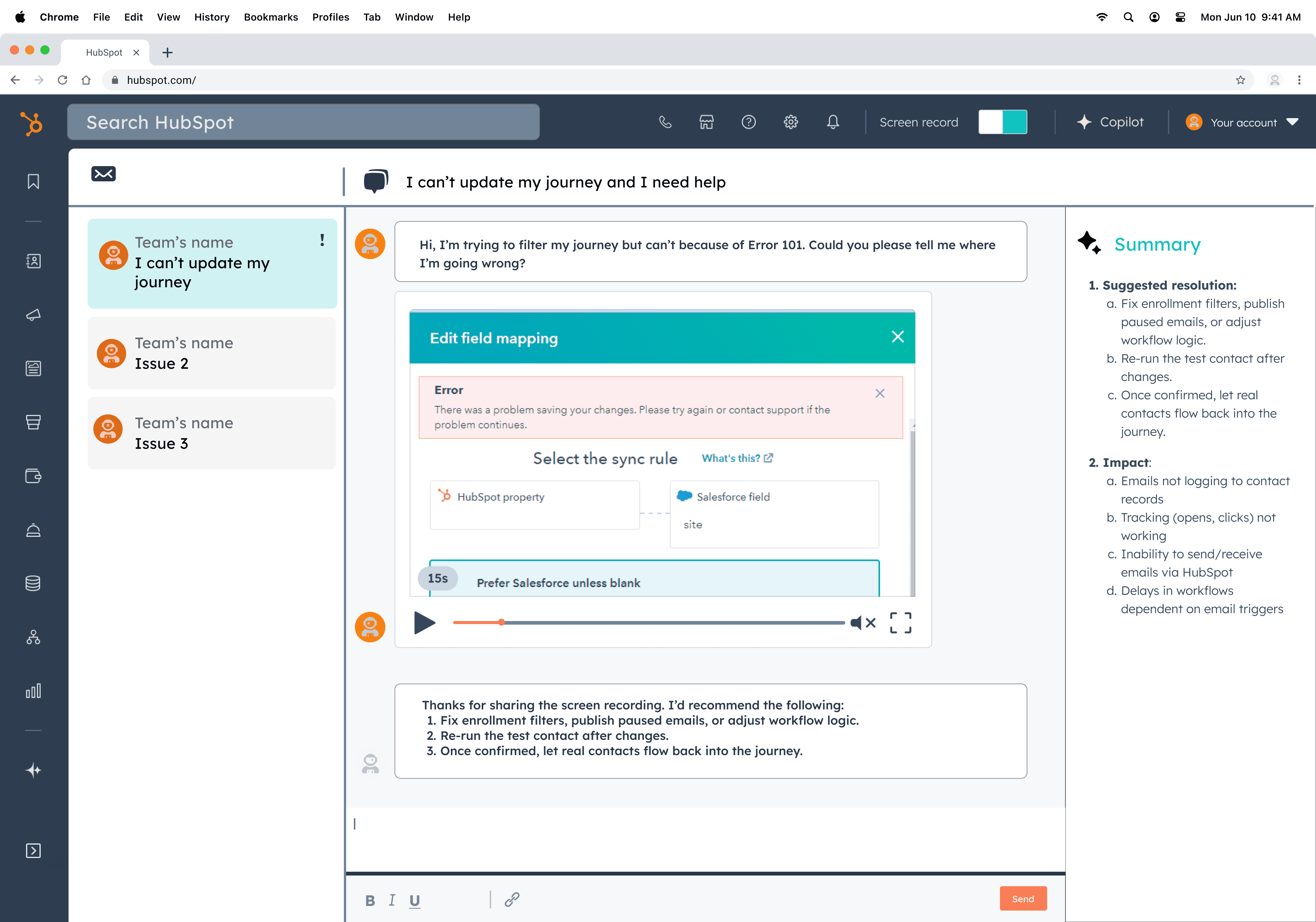
In light of the insights, I designed an embedded Screen Recording feature which addressed the following issues:
provide context of the problem area
ability to add voiceover to aide understanding.
Additionally, an AI-led summary would synthsize the solution for other users from the same team to get an understanding of the issue.
Feedback from updated design:
Improve visibility of the screen record toggle and make it more prominent
Add clear recording indicators
Add in-recording controls
Provide a floating panel with pause, stop and cancel options
Let users preview, trim and/or confirm the recording before it is saved or sent.
Create a post-recording confirmation step
Next steps
One trade-off I had to make was simplifying some advanced features that only a small group of users wanted, in order to make the experience smoother for most people. My next step within the Support ecosystem would be to create a support ticket–based knowledge bank, tailored to each user and their team, so it would be easier to collect company-specific infomation.
Back to top